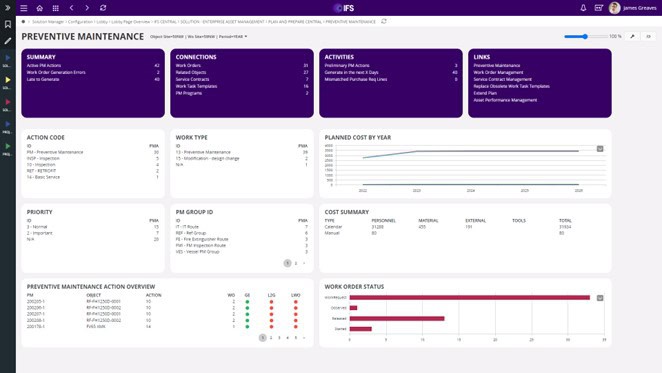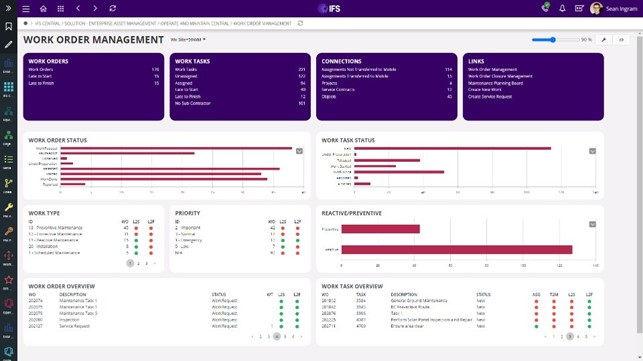
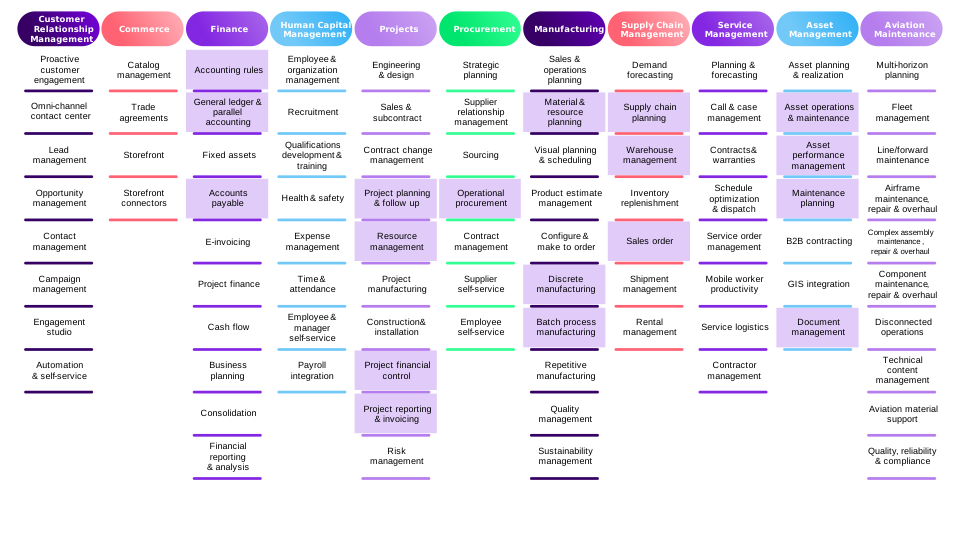
The system supports comprehensive asset management throughout the entire lifecycle—from Asset Design and Construction to Installation and Maintenance Planning. Enterprise Asset Management integrates software, services, and systems to optimize organizational asset utilization, providing end-to-end support from Asset Design and Construction through Installation to Maintenance Planning.
The Heart of organizations in utility industries—such as electric power, water supply, and telecommunications—lies in Asset Maintenance Management.
Organizations with effective asset maintenance systems implement robust Preventive Maintenance programs that enable planned inspections, scheduled repairs, and equipment replacement for machinery. These systems include recording various measurement results according to predetermined maintenance schedules, helping to extend machinery lifespan, reduce equipment downtime, and minimize Corrective Maintenance requirements, thereby ensuring that machinery and assets operate at full capacity while reducing maintenance costs.
IFS Enterprise Asset Management (EAM)
A comprehensive solution that enables organizations to implement software systems for asset maintenance management, enhancing machinery maintenance efficiency to ensure equipment operates at optimal performance.
Complete end-to-end maintenance system for all operational requirements
Strategic asset management with long-term planning
Maintenance planning for maximum efficiency
Data analysis for proactive maintenance planning
Real-time analytical insights
Seamless operations through IFS Mobile Application
Core Components of IFS EAM
IFS EAM comprises Equipment, Preventive Maintenance, and Work Management functions. The process begins with registering assets (Equipment Objects) into the system, along with defining machinery maintenance tasks (PM Program) according to predetermined plans that specify work teams and required equipment. The system then generates Work Orders based on maintenance schedules and displays the maintenance team’s work calendar.
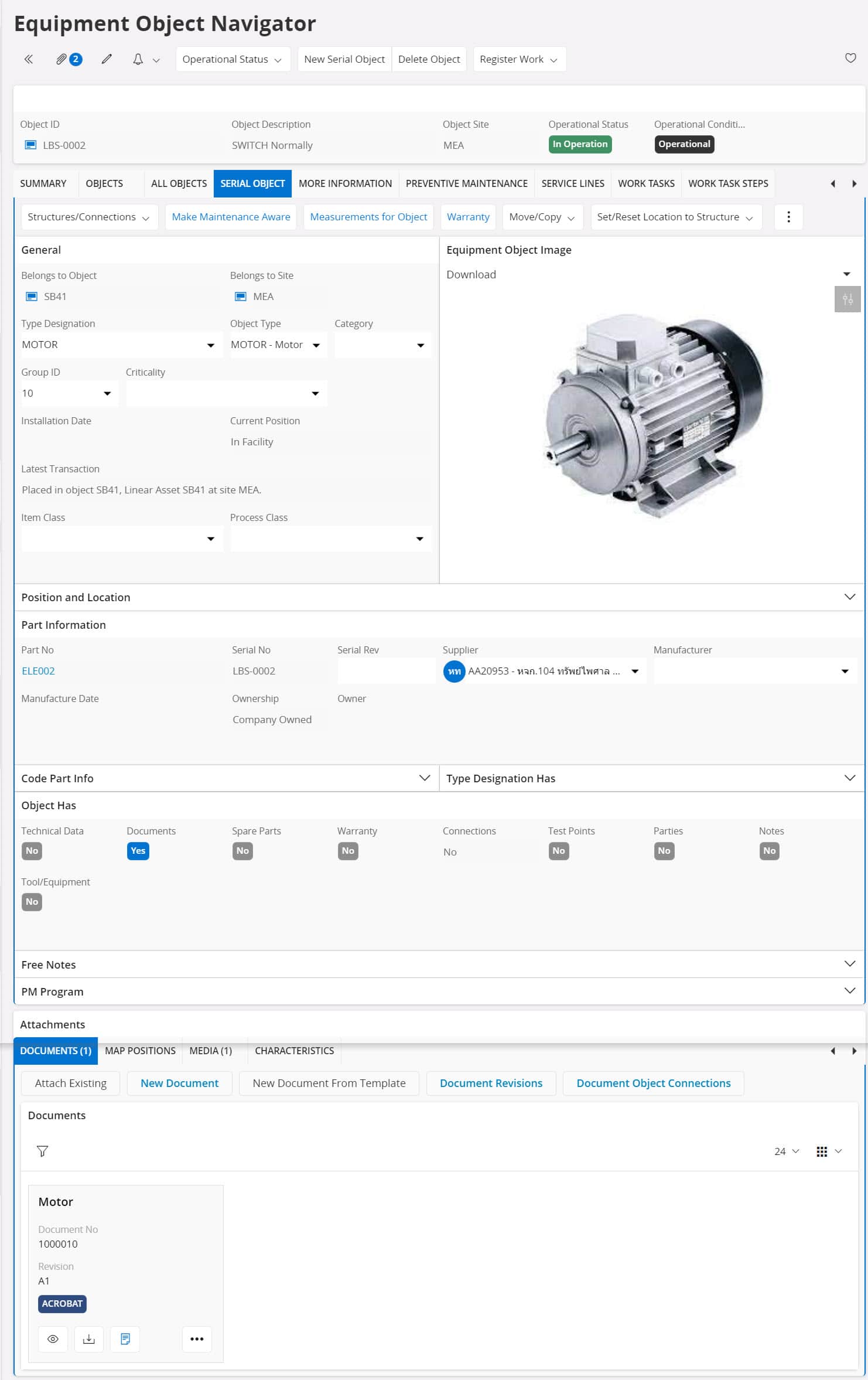
IFS Equipment
The IFS Equipment function registers assets using two structural classifications:
Additionally, the IFS Equipment function manages equipment across various dimensions, such as categorizing or grouping equipment for easier management and identifying technical specifications—including Test Points and various measurement data—while maintaining maintenance history and equipment warranty records. The system also supports attaching related documentation in various formats, including video clips, PDF documents, maintenance procedures, and equipment assembly/disassembly instructions.
Internet of Things (IoT) Integration with Equipment
Advancing Toward Predictive Maintenance
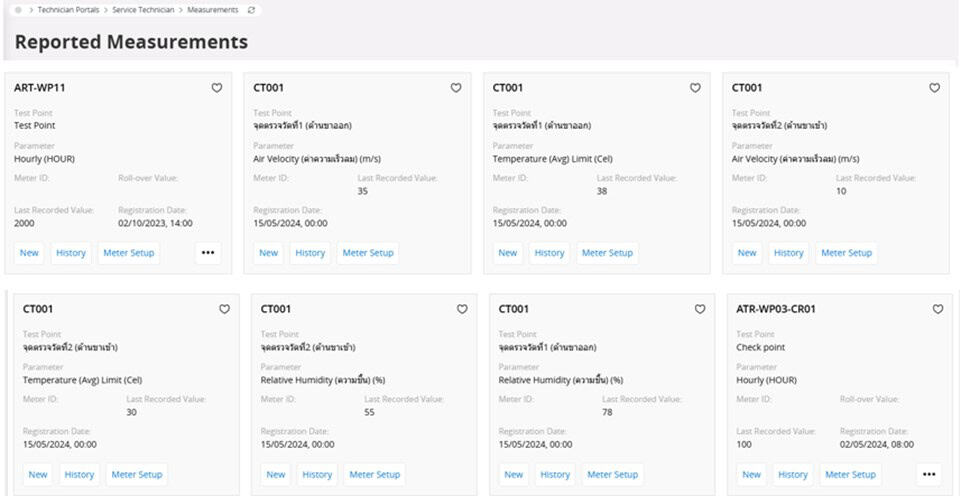
Internet of Things (IoT) technology enables factory machinery to connect to the internet network, allowing the IFS EAM system to track critical machinery data for maintenance purposes—such as temperature, humidity, and vibration levels. This data is analyzed in real-time, providing maintenance personnel with a comprehensive view of machinery conditions.
The IFS EAM system can generate alerts based on configured technical data thresholds specified by equipment manufacturers to prevent values from exceeding standards before machinery failure occurs. This capability advances toward Predictive Maintenance systems that accurately recommend optimal maintenance timing based on actual needs. By performing proactive maintenance before machinery failure and extending equipment operational lifespan.
IFS Preventive Maintenance
Following complete equipment and machinery registration, the system proceeds to define maintenance patterns. The IFS Preventive Maintenance function supports Calendar-based Maintenance planning, Event-based Maintenance planning, and Condition-based Maintenance planning derived from equipment measurements.
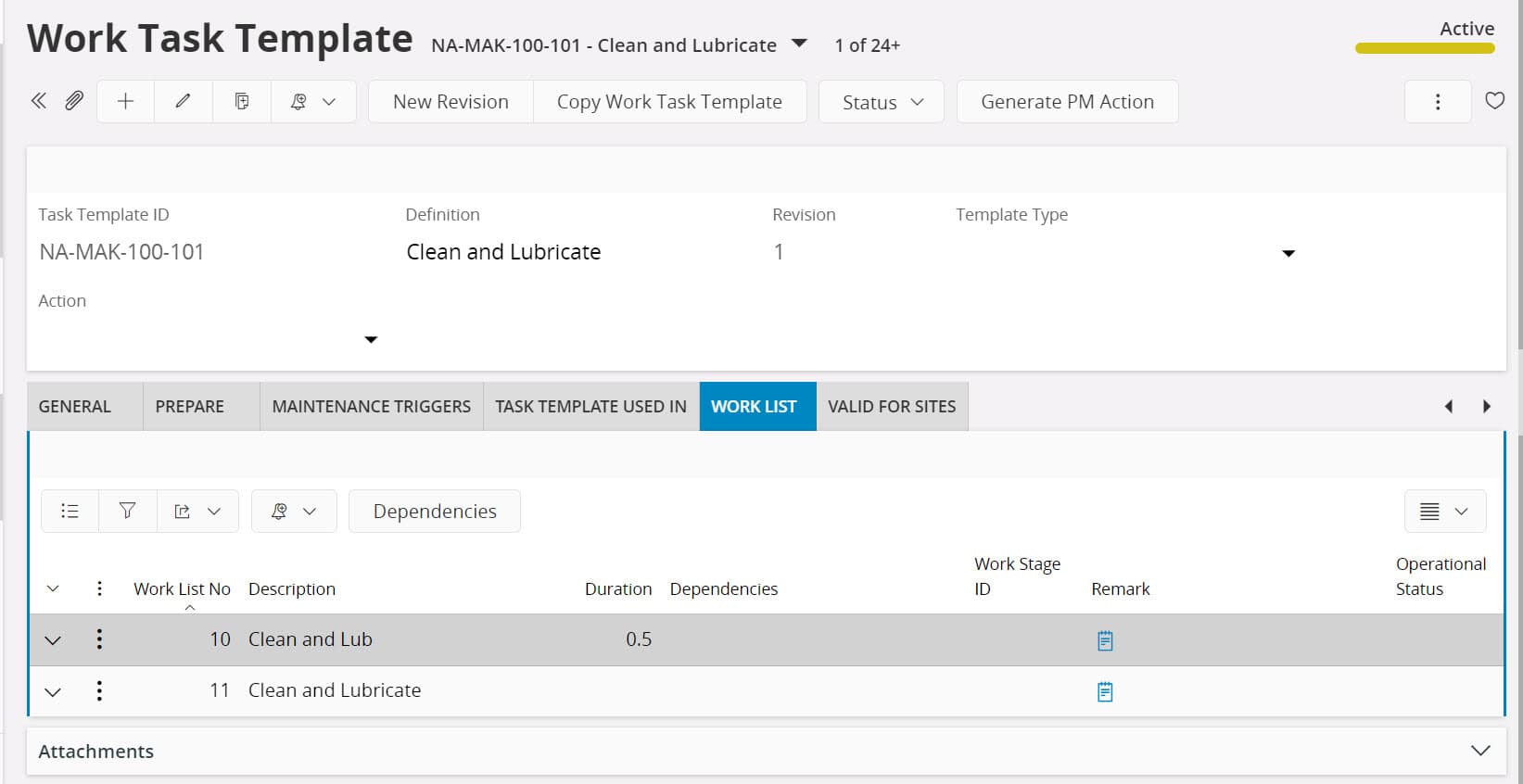
The system includes a Work Task Template function for creating standardized maintenance and repair templates for routine operations. These templates specify task details, tools, and spare parts required for maintenance activities. Multiple Work Task Templates can be combined into what is called a PM Program.
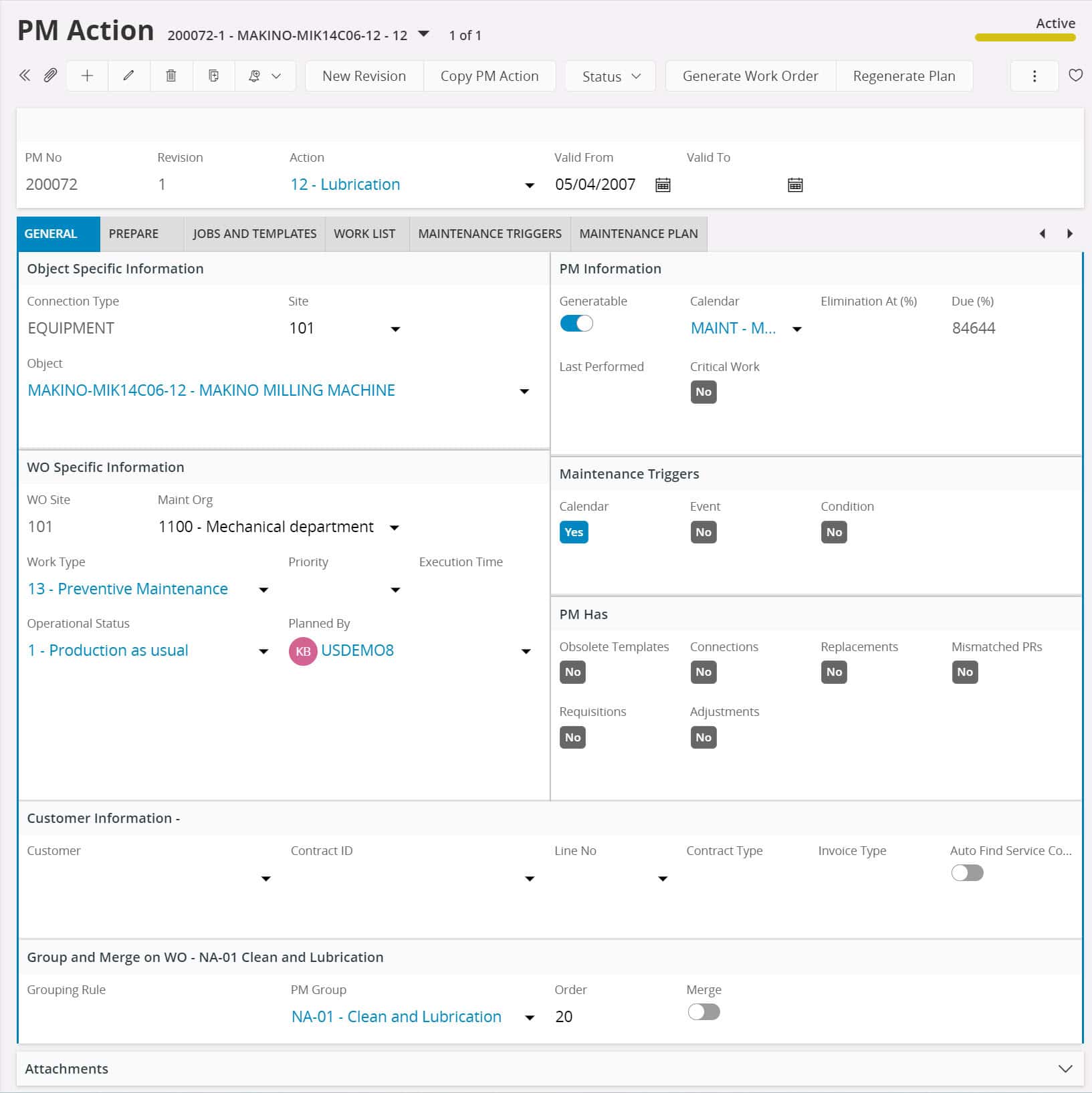
The PM Action function defines preventive maintenance tasks by assigning PM Actions to Equipment—either as a single PM Action or multiple PM Action plans for the same machinery.
Work Task Templates or standardized repair work sets can be linked to PM Actions, enabling Maintenance Planners to design customized maintenance plans. The system supports time-based alerts (e.g., every 3 months) or meter-based alerts (e.g., every 500 hours) based on recorded measurement conditions, with planned allocation of maintenance technicians according to maintenance tasks.
Users can monitor PM Actions through status indicators such as pending, in-progress, or completed. Subsequently, PM Actions record work history for completed maintenance activities by equipment.
IFS Work Order
The IFS Work Order function manages Work Order Management processes, supporting multiple work order creation methods depending on maintenance task types. Work Orders can be generated from the Preventive Maintenance (PM) system or created manually as Fault Reports.
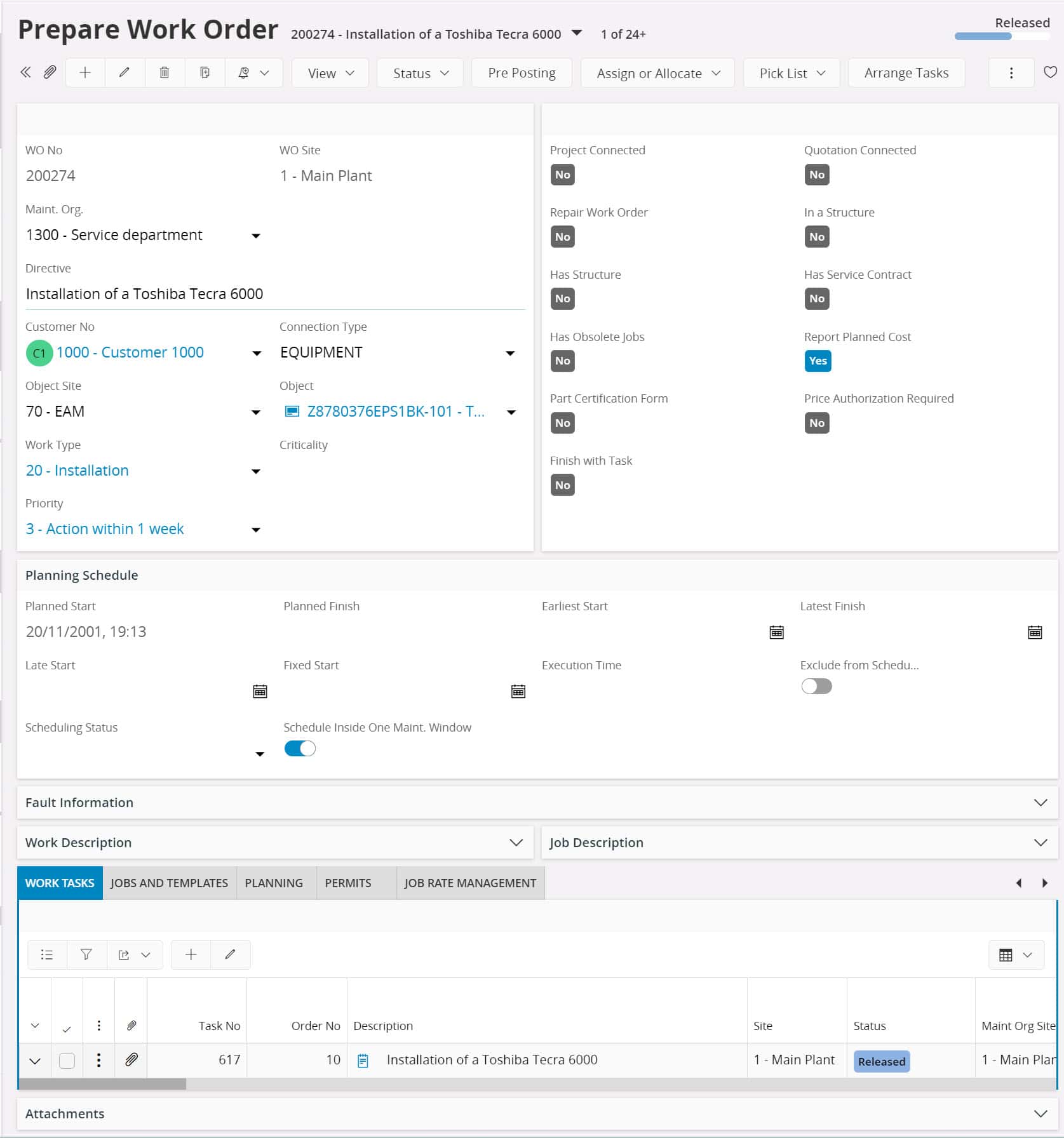
Work order preparation includes: start and completion dates, task details, budgets, required spare parts lists, items requiring additional purchase orders, necessary work documents, and work permits.
Work orders can be structured hierarchically with Parent Work Orders and Child Work Orders. The system enforces hierarchical closure, requiring all subordinate work orders to be closed before the parent work order can be completed.
Work Task/Work Assignment/Resource Allocation
Users can select Work Task Templates or standardized repair work sets to apply to created Work Orders, enabling the system to automatically generate Work Tasks and Work Assignments. For Work Orders created from PM Action plans, the PM Action triggers from various plan patterns. When PM Actions are linked to Work Task Templates, the system retrieves this information to display in Work Orders and Work Tasks.
When the Work Order system creates Work Task and Work Assignment data, it includes Resource Allocation information for allocating maintenance personnel based on work skills or technician skill sets and repair team groups, allocating maintenance tools and equipment, and identifying spare parts requiring replacement or substitution according to operational plans, including procurement processes. When maintenance personnel are assigned, technician teams receive work assignment notifications in their schedules. Upon work completion, the system updates the status of Work Tasks and Work Orders.
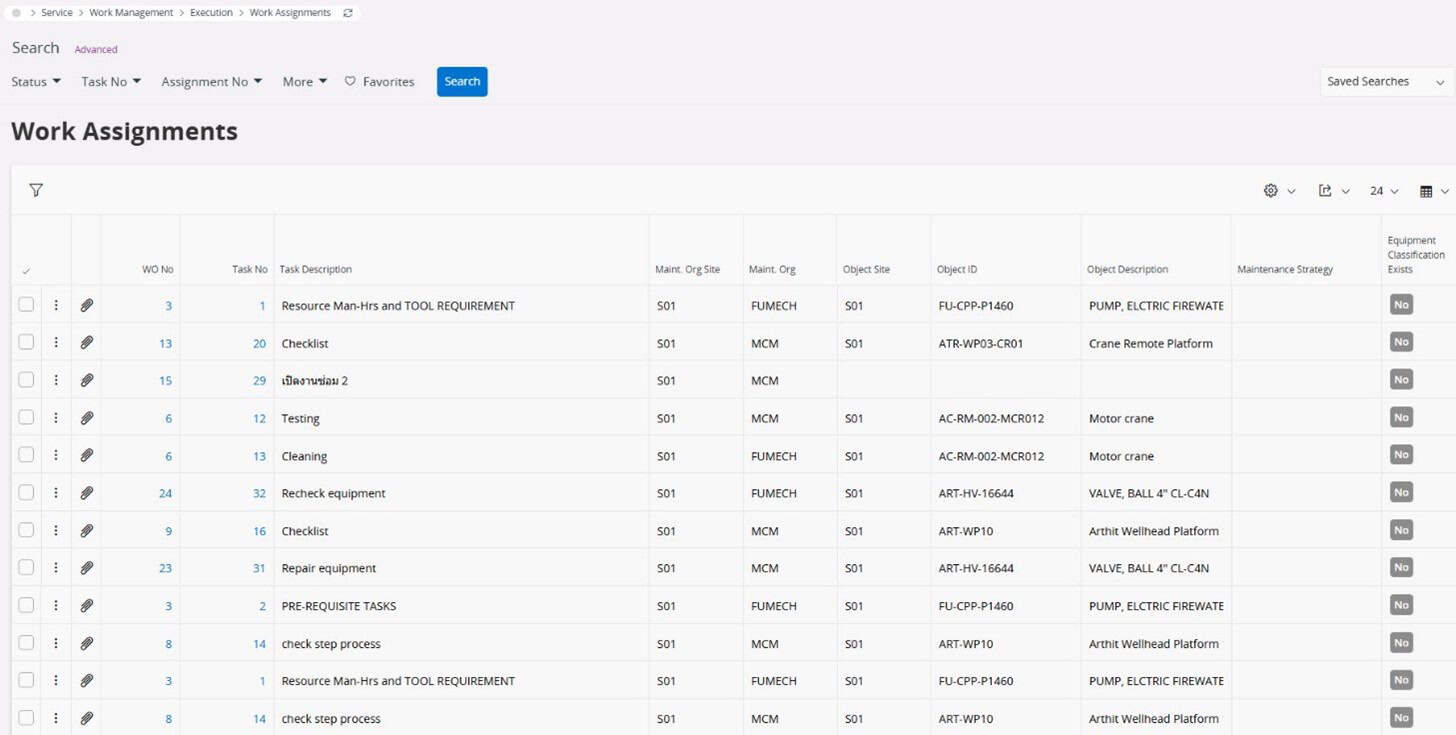
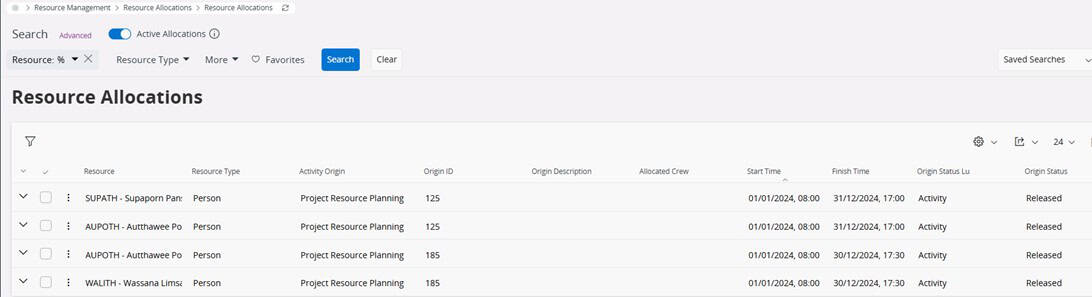
The benefit of using Work Task Templates in Work Task and Work Assignment functions is the ability to define various maintenance procedures to prevent operational errors and track work status in real-time.
IFS Mobile Work Order
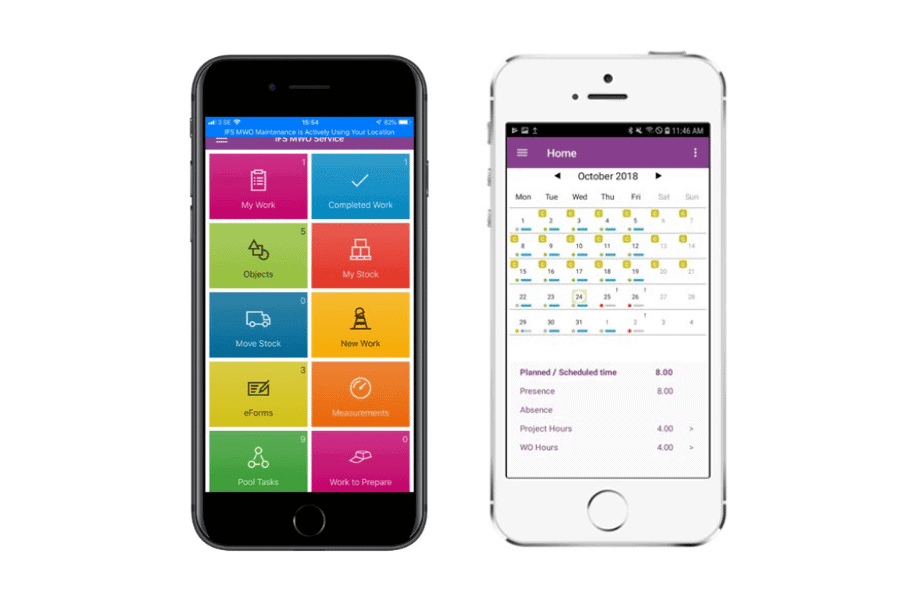
This function is designed to help field technicians efficiently execute Work Orders through mobile systems such as tablets or mobile phones. Field personnel can view assigned Work Orders and related information such as locations, task details, and work due dates, or create new Work Orders directly from the application when additional tasks are identified.
Additionally, this function facilitates maintenance work management, including: creating new work orders, updating data and work status, viewing service point routes, requesting spare parts, submitting expense reports, and closing tasks upon completion. The system also supports time reporting for tasks, including travel time and work time for billing purposes.
Technicians can view schedules in daily or weekly formats and access functions for reassigning work when tasks are postponed or priority levels change. They can also check stock, verify required tools, and record equipment usage according to Work Orders for accurate record-keeping.
IFS EAM Analysis Tool
IFS Lobby in the IFS EAM solution offers numerous features for data analysis, configurable by role—such as Maintenance Manager and Technician—with each role requiring access to different information. Users in each role can retrieve critical data for display in the Lobby, such as: machinery operating time, pending maintenance work, and progress of assigned maintenance tasks. IFS Lobby users can track maintenance work through status monitoring, progress tracking, and personnel identification to facilitate faster performance evaluation.
Data displayed on the IFS Lobby page can be presented in various formats: colors, graphs, tables, numbers, or progress bars to enhance user comprehension. This serves as a powerful Business Analytics Tool.
Furthermore, the Data Drill-Down function in IFS Lobby enables users to access detailed information displayed on the Dashboard, saving application time and improving ease of use. Users can drill down directly into the IFS system through the Dashboard, reducing confusion across various application interfaces.
Dashboard data can be retrieved from other modules, such as warehouse systems, procurement systems, and accounting systems, enabling users to achieve a 360-degree view of asset management operations.